FlameForge Platform
A public REST API and administration platform for Genshin Impact data. Built with Node.js, Express, TypeScript, and MongoDB — featuring role-based access control, a custom content dashboard, Cloudinary image management, and public documentation.
Overview
FlameForge is an open-source Genshin Impact API built with Node.js, Express, TypeScript, and MongoDB. The project provides structured JSON data for characters, weapons, and artifacts while also offering a dedicated administration dashboard for managing content without directly interacting with the database.
The primary goal was to eliminate the need for developers to scrape game data and build their own backend before creating community tools, websites, or personal projects. Instead, developers can consume a ready-to-use API and focus entirely on building their applications.
The Problem
Developers creating Genshin Impact tools often need access to structured game data. Gathering this information typically requires scraping multiple sources, cleaning the data, designing a database, and maintaining the dataset over time.
I wanted to create a centralized data source that provided:
- Character information
- Weapon data
- Artifact information
- Public API access
- Administrative tools for content management
The result was FlameForge Platform.
The Solution
To solve this problem, I built FlameForge Platform — a public REST API combined with a custom administration dashboard. The platform provides structured character, weapon, and artifact data through dedicated endpoints while allowing moderators to manage content through a graphical interface instead of directly interacting with the database.
Beyond serving API data, the project focused on simplifying long-term maintenance. Features such as role-based access control (RBAC), session-based authentication, JSON import workflows, content management tools, and Cloudinary-powered image uploads were implemented to create a secure and maintainable system for managing and distributing game data.
.png)
Public API documentation — available to all developers consuming the API
Technical Stack
The stack was chosen for familiarity and pragmatism. Node.js and Express kept the backend straightforward, MongoDB handled the flexible documents and Handlebars was a natural fit for the server-rendered dashboard.
Backend
Dashboard
Third-Party Services
Architecture
The project follows a layered architecture that separates responsibilities across routes, controllers, and models. This structure improved maintainability and made it easier to add new functionality without tightly coupling different parts of the application.
The project currently contains:
- REST API layer — public endpoints for character, weapon, and artifact data
- Administrative dashboard — server-rendered GUI for content management
- Authentication system — session-based login with email verification
- Role-based authorization — three-tier access control across all routes
- Image management — Cloudinary upload pipeline with preview generation
- Reporting system — content and user activity reports for administrators
If rebuilt today, I would migrate the project toward a modular layered architecture for better scalability and feature isolation.
.png)
Character management view — administrators can edit, delete, and add new entries
Building the Administration Dashboard
One of the most important goals of the project was reducing the need to interact directly with the database. To achieve this, I built a custom administration dashboard that allows moderators and administrators to manage API data through a graphical interface.
Key capabilities include:
- Character, weapon, and artifact management
- Bulk JSON uploads for batch data import
- Content editing and deletion
- Backup exports
- Search functionality across all data types
This allowed content updates to be performed directly from the dashboard while automatically updating the underlying API data.
.png)
Weapon management — 179 weapon records managed entirely through the dashboard
.png)
Admin control panel — complete content management and backup export functionality
Authentication and Access Control
The platform uses session-based authentication combined with role-based access control (RBAC). Three roles were implemented: Administrator, Moderator, and User. Access to administrative functionality is controlled entirely through server-side authorization checks, ensuring that sensitive dashboard features remain inaccessible to standard users.
Although sessions were appropriate for the project's scale, I would likely replace them with JWT-based authentication in a future version.
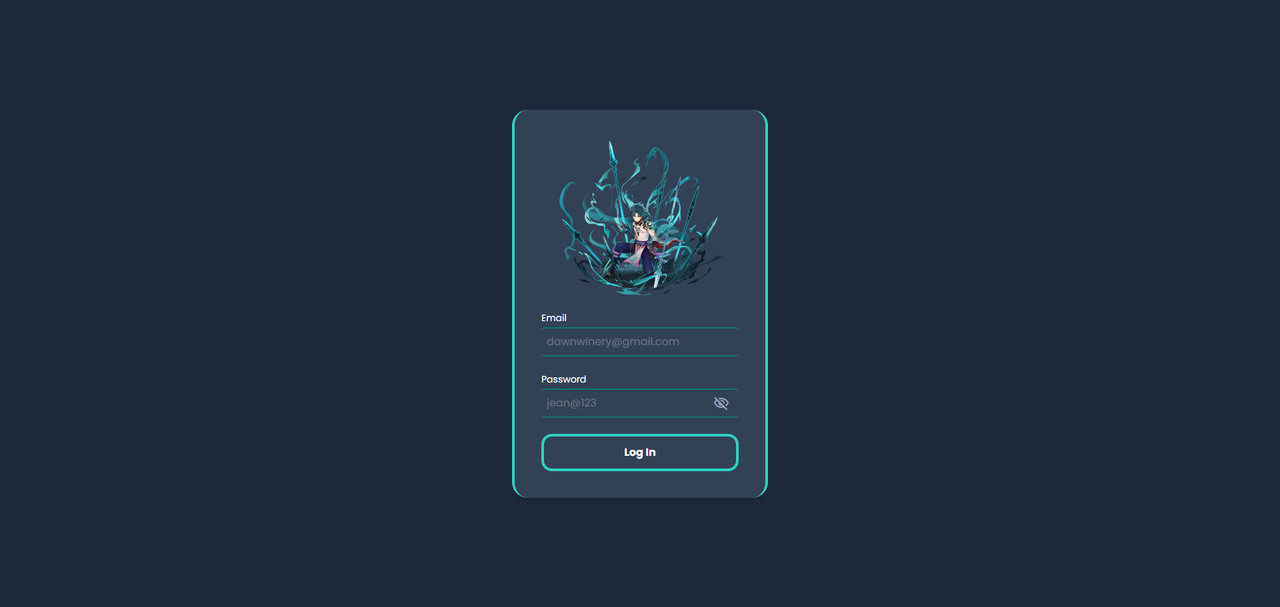
Session-based login — secure authentication for administrators and moderators
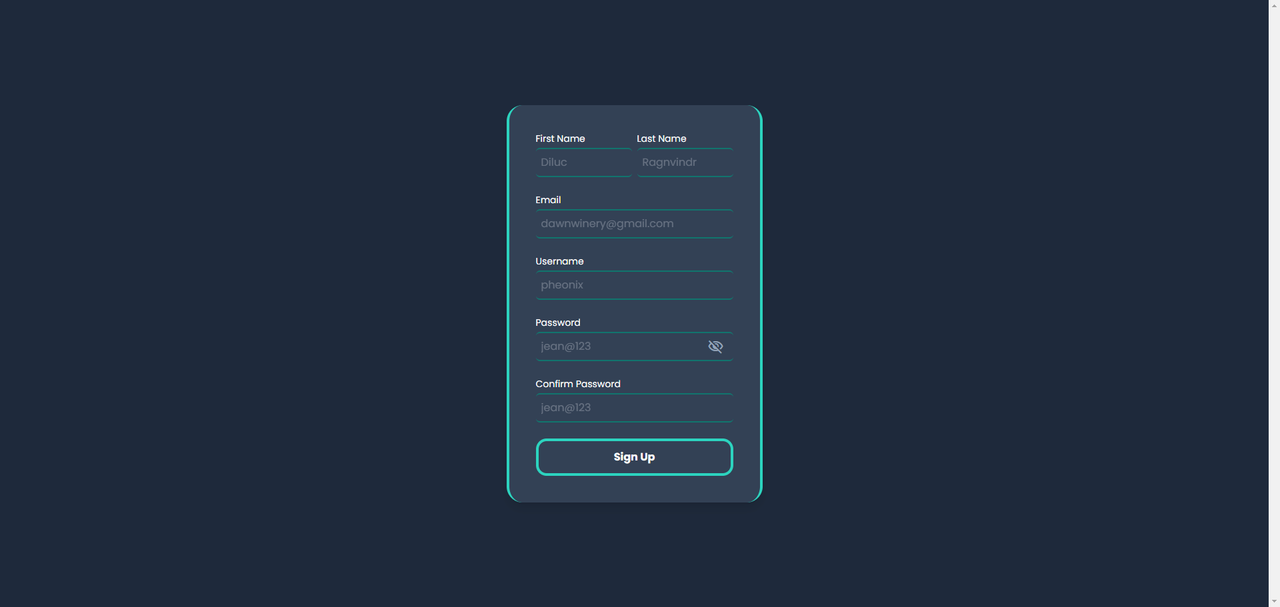
Registration screen — new accounts go through email verification before gaining access (Registration is disabled by default.)
Image Upload Pipeline
One of my favorite features was the Cloudinary-powered image upload system. Administrators can upload character, weapon, and artifact images directly from the dashboard. Uploaded assets are stored in organized Cloudinary folders and immediately become available for use within the API dataset.
The upload workflow includes:
- File validation before upload
- Upload processing and Cloudinary integration
- Preview generation on the dashboard
- Automatic public URL generation for use in API responses
- Error handling for malformed files
This eliminated the need for manually managing image assets.
.png)
Image uploader — Cloudinary-powered image uploads with validation and live preview
Challenges
Maintaining data integrity during editing
The most difficult challenge was ensuring that dashboard edits updated only the intended data. Since administrators could modify existing characters, weapons, and artifacts through the GUI, every update operation needed to preserve unrelated fields while safely applying changes to the targeted data.
Preventing accidental data corruption required careful validation and update handling throughout the dashboard.
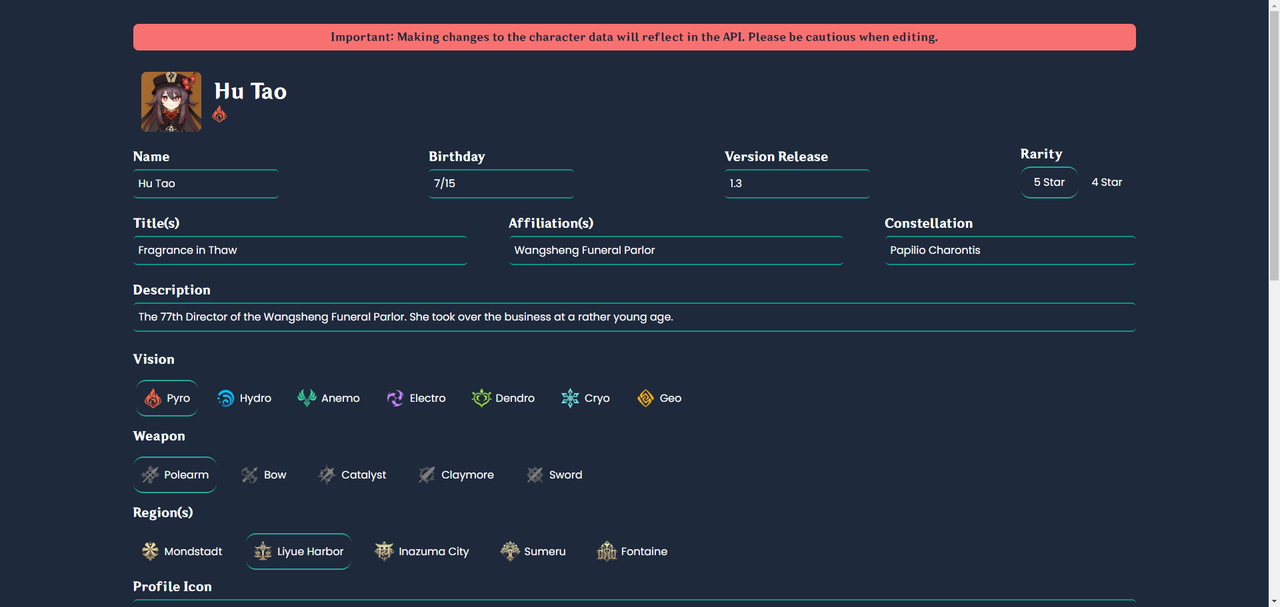
Character edit form — updates are reflected directly in API responses.
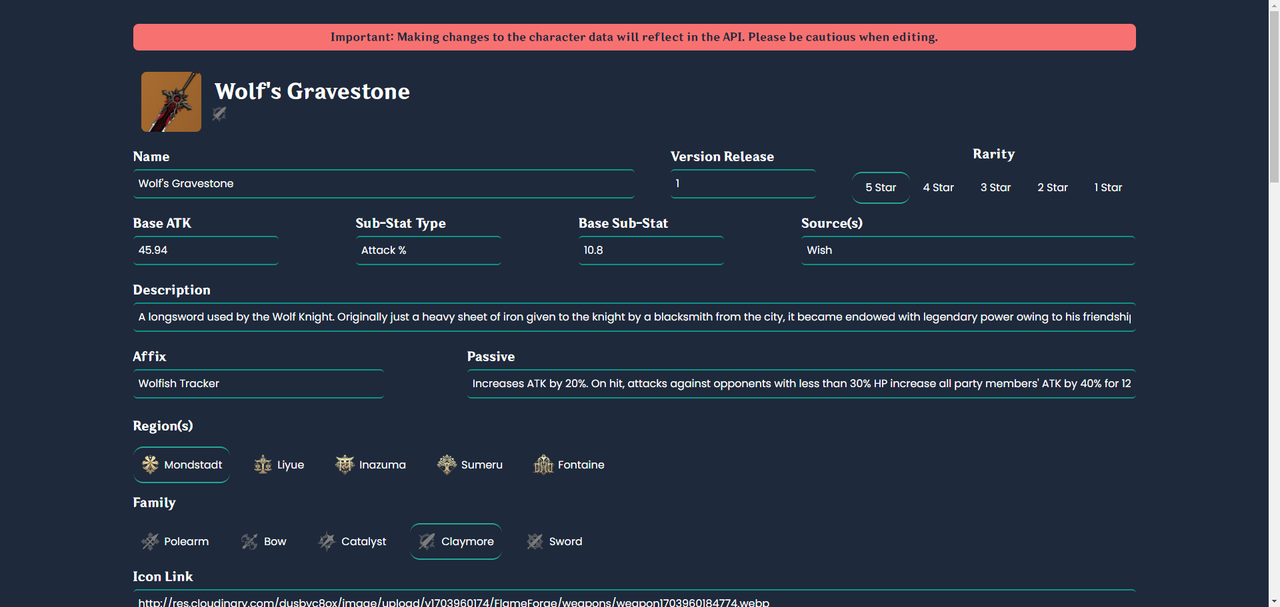
Weapon edit form — same update pattern applied across all data types
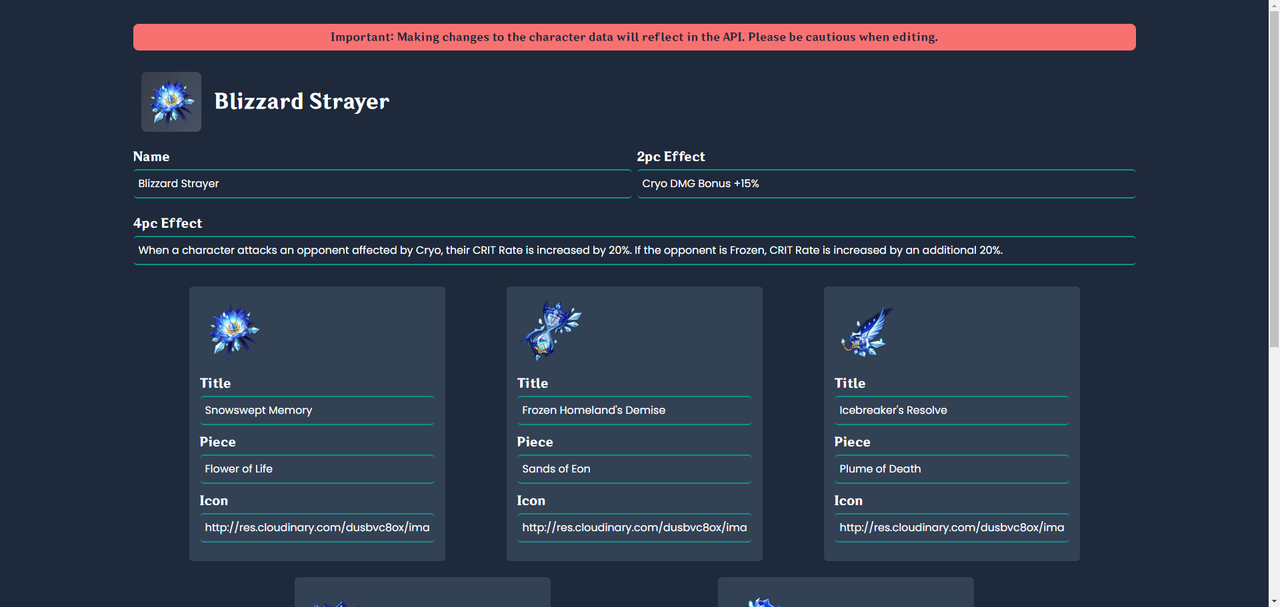
Artifact edit form
JSON upload validation
The platform supports importing both single objects and arrays through JSON uploads. This required strict validation to ensure malformed files never reached the database or affected public API responses. Invalid structures are rejected before processing, helping maintain data consistency across the platform.
Authorization in server-rendered views
Because the dashboard is built using Handlebars server-side rendering, authorization needed to be enforced on the server rather than relying on client-side restrictions. Ensuring non-administrative users could not access protected views or functionality required additional routing and permission checks throughout the application.
Deployment constraints with Nodemailer
While deploying the application, I encountered platform-specific restrictions affecting email delivery functionality. This highlighted the importance of understanding deployment limitations and adapting application features for production environments.
Key Features
- 15+ REST API endpoints for characters, weapons, and artifacts
- Custom administration dashboard built with Handlebars and Tailwind
- Role-based access control with three permission tiers
- Session-based authentication with email verification
- Cloudinary image upload pipeline with preview and URL generation
- Bulk JSON import for batch data management
- Backup export functionality for all data types
- Reporting system for content and user activity
- Public API documentation
- Open-source codebase
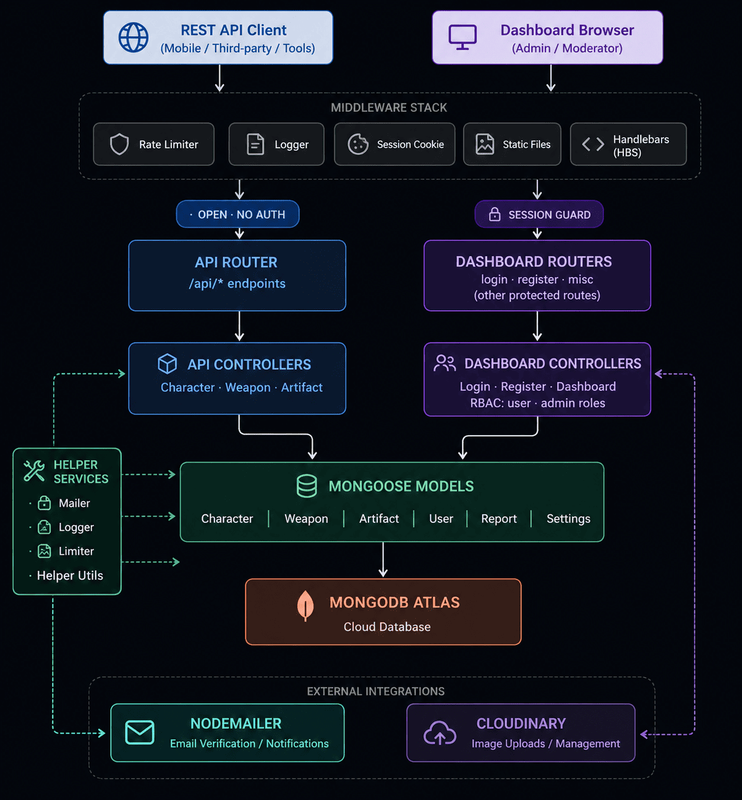
Architecture Diagram
.png)
People management — administrators can view all registered users
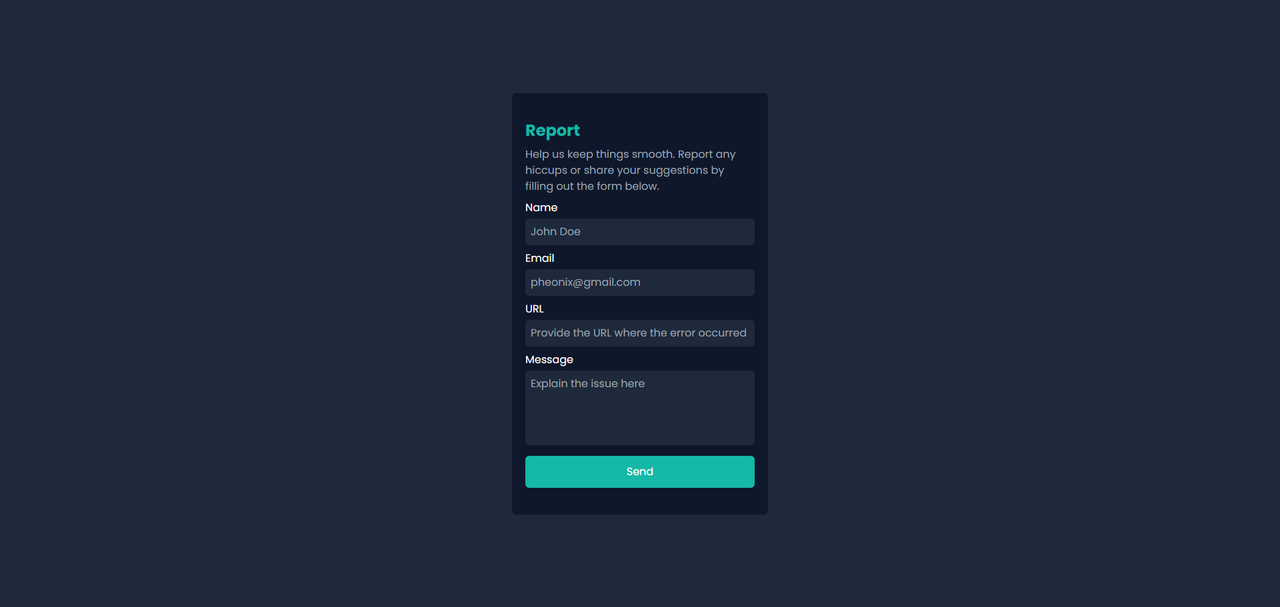
Report form — submit content issues and feedback for administrator review
.png)
Settings panel — account and platform configuration
Lessons Learned
Building the API is only half the problem
The most valuable lesson from this project was realizing that building the API itself is only part of the challenge. Creating reliable tools for managing and maintaining data can be equally complex. The administration dashboard required careful consideration around content management, data integrity, authorization, and update workflows, ultimately becoming just as important as the API layer itself.
Session-based authentication tradeoffs
Implementing session-based authentication provided practical experience with managing user sessions, authorization, and access control. While sessions were a good fit for the project's requirements, the experience helped me better understand the tradeoffs between session-based and stateless authentication approaches and how those decisions can influence future system design.
Future Improvements
- Migrate from a layered architecture to a modular layered architecture for improved scalability and feature isolation.
- Replace Express Validator with Zod to create a more maintainable and type-safe validation workflow.
- Replace session-based authentication with JWT-based authentication to simplify API consumption and support stateless authentication.
- Introduce a dedicated transactional email service for production email delivery and account verification workflows.
- Expand the API dataset to support newer Genshin Impact content and maintain long-term data relevance.
Results
The final platform includes 15+ REST API endpoints, 80 character records, 179 weapon records, 44 artifact records, and over 300 total data records managed through a custom administration dashboard.
The platform was actively maintained by an administrator through the dashboard, validating the effectiveness of the content management tooling and eliminating the need for direct database interaction during routine updates.
One of the best features was the Cloudinary-powered image upload pipeline, which streamlined asset management by providing validation, direct uploads, organized storage, and immediate availability of uploaded content within the platform.